Overview
By 2022, Twitter's advertiser-facing products had expanded well beyond Ads Manager to include Business Settings, Shopping Manager, and a growing set of commerce tools. The global navigation connecting these surfaces hadn't kept pace. Account switching redirected users away from whatever they were doing, identity was unclear across accounts, and moving between products required workarounds that consumed both customer patience and support resources. I initiated and led this effort entirely from Design: drafting the product proposal, partnering with designers to define the interaction model and documentation, conducting competitive analysis, and advocating across the organization to get it prioritized. By late 2022, the effort had secured a Product driver and was being prioritized for the 2023 roadmap when Twitter's acquisition changed the trajectory of all in-flight work.
A Problem That Compounded with Every New Product
Twitter's navigation for professional products was originally designed when Ads Manager was essentially the only product surface advertisers needed. The assumption baked into the information architecture was simple: you log in, you land in Ads Manager, you do your work. For years, that was close enough to true.
But by 2022, the professional product ecosystem had grown considerably. Business Settings launched to support the new graph permission model for managing people, partners, and accounts. Shopping Manager arrived to support Dynamic Product Ads and product catalog management. Professional Accounts expanded to all users globally (opens in new tab), adding another layer of identity and tooling. Each new product surface had been added to the navigation without rethinking the navigation itself, which is a pretty reliable recipe for the kind of experience where every new feature makes the whole system a little harder to use.
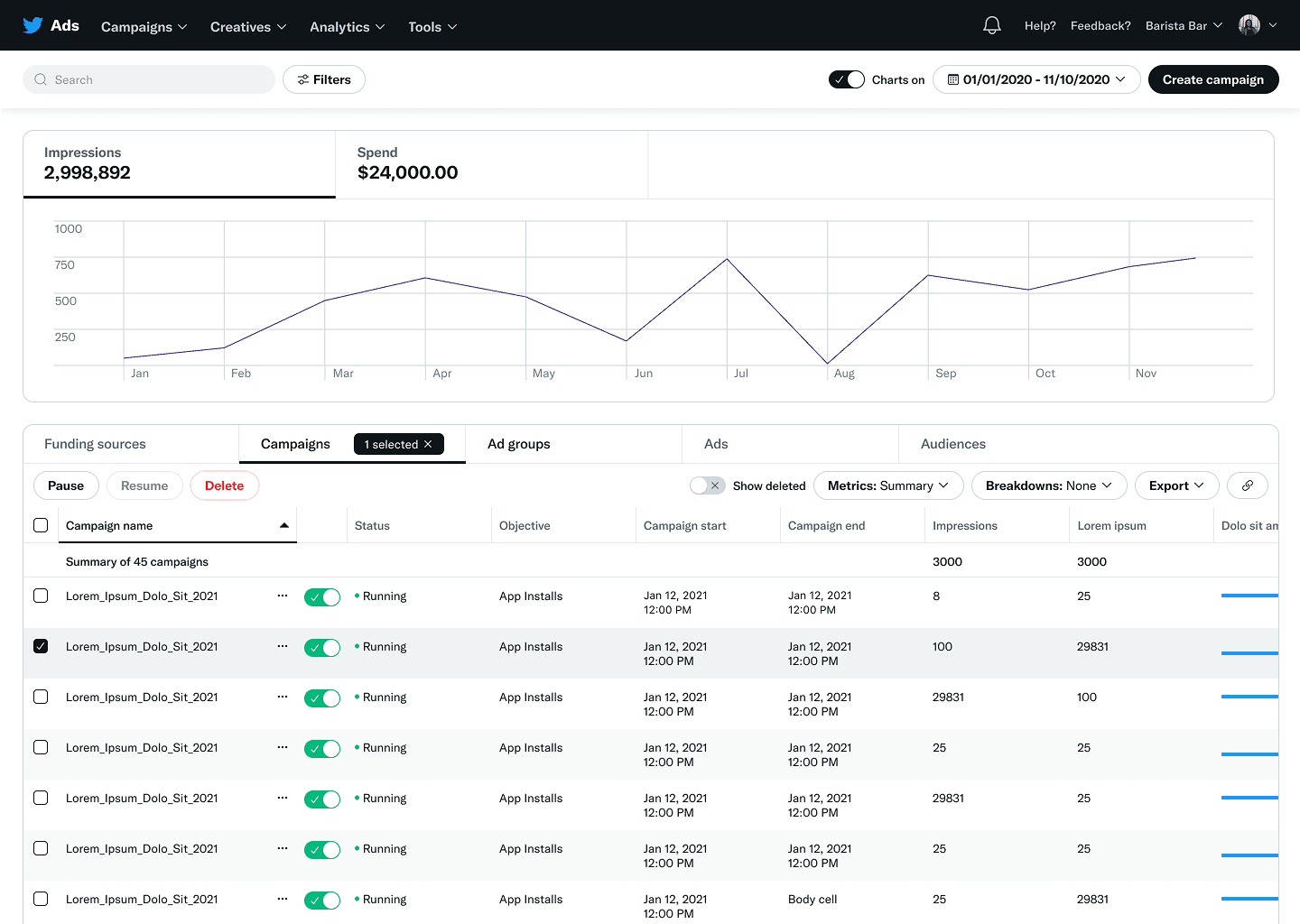
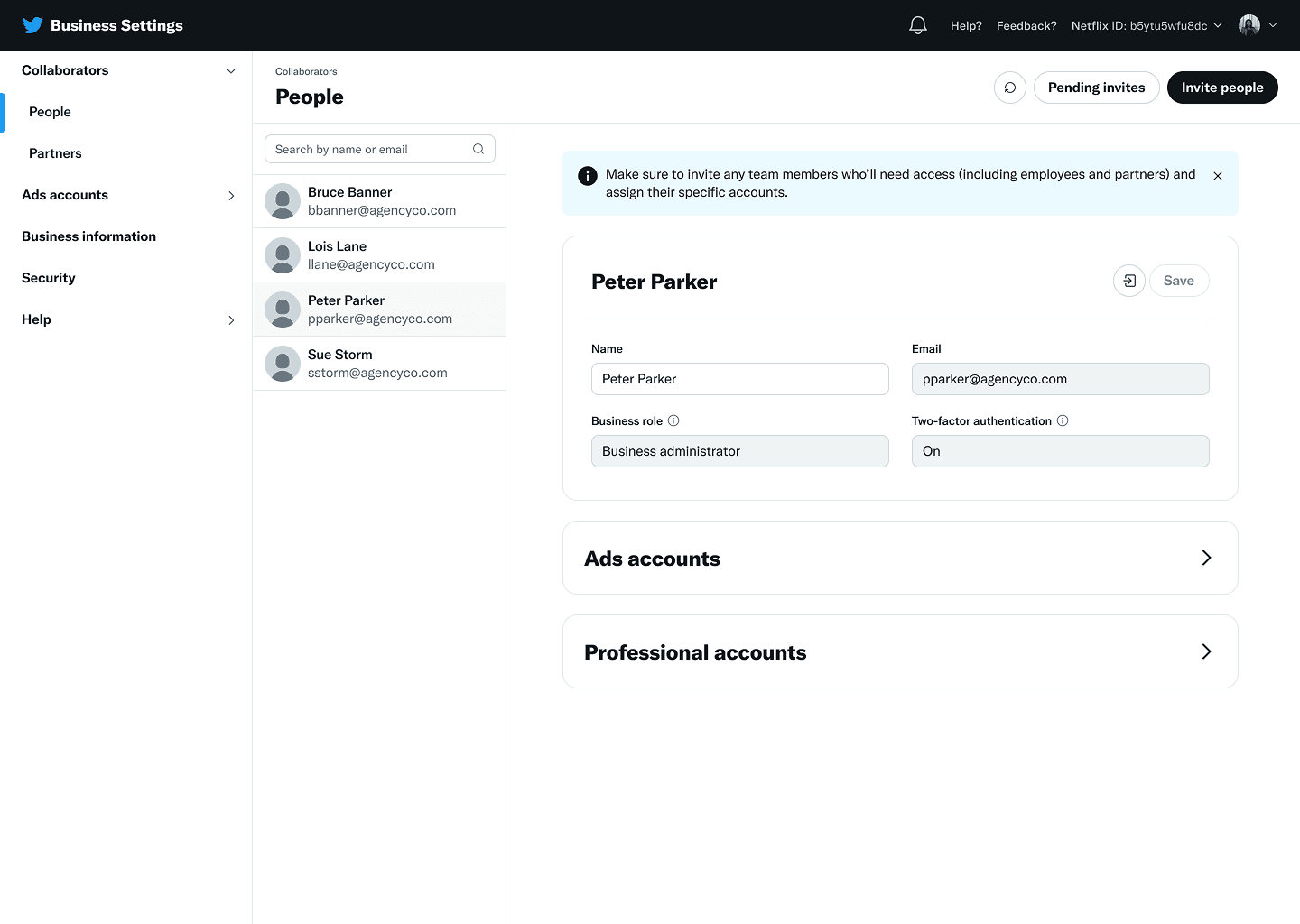
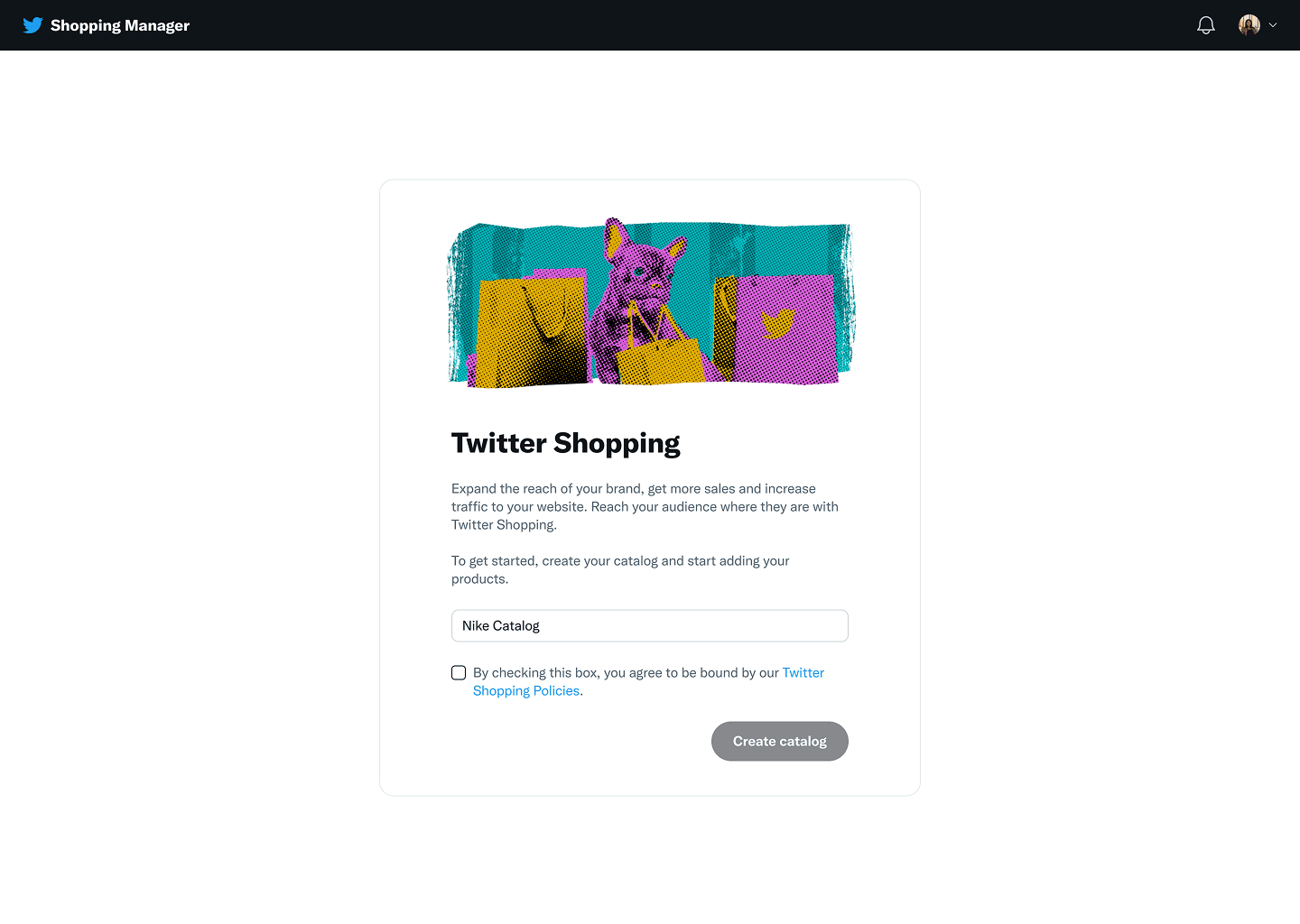
The result was a navigation that had effectively shipped Twitter's internal org structure to customers. Getting from Ads Manager to Shopping Manager required knowing where to look. Getting from Shopping Manager back to Ads Manager wasn't possible through the navigation at all. Getting to Business Settings from anywhere required a level of familiarity that most customers didn't have and shouldn't need.
The Advertiser Experience Vision project in 2021 had identified navigation as a systemic issue across the entire advertiser journey. Many of the vision concepts assumed a connected professional experience, but the current navigation made that impossible. What the vision work showed at the strategic level, our customers were feeling every day at the tactical level.
Two Problems Wearing the Same Hat
When I started documenting the scope of the issue, it became clear that what felt like one navigation problem was actually two distinct problems that reinforced each other.
The first was identity. Advertisers managing multiple accounts (which described most agency users and many large brands) had no clear way to understand which account they were currently operating under, and switching between accounts was actively disruptive. Changing accounts redirected customers back to Ads Manager regardless of where they were working. If you were in the middle of setting up audiences and needed to switch to a different ad account, you'd lose your place entirely. The mental model was "go back to the lobby to get a different key" rather than "switch keys and stay where you are."
The second was product surface navigation. Customers needed to move between Ads Manager, Business Settings, Shopping Manager, and related tools as part of their regular workflows. But the navigation hierarchy reflected how Twitter's engineering teams were organized, not how customers thought about their tasks. There was no direct path from Business Settings back to Ads Manager. Shopping Manager was difficult to discover from the ads surfaces, which was a real problem given that Dynamic Product Ads required advertisers to work across both.
For a campaign manager at an agency running Dynamic Product Ads across multiple client accounts, the combination of these two problems meant that a task involving three products and two accounts could require enough tab-juggling and page-reloading to turn a ten-minute workflow into a half-hour exercise in patience.
Three Customer Segments, Same Broken Window
The navigation issues affected nearly all professional customers, but the pain concentrated around three groups.
Campaign managers at large agencies or brands needed to work across multiple ad accounts efficiently. Creating audiences in one account, building creatives in another, monitoring campaigns across several. The account switching experience turned what should have been fluid multi-account workflows into a series of interruptions.
Account and business admins needed to manage business-level settings (billing, access permissions, account monitoring) alongside their regular advertising work. The disconnect between Business Settings and Ads Manager meant these users were constantly context-switching between tools that should have felt like part of the same product.
Torso advertisers using performance ads and commerce tools needed to set up Dynamic Product Ads campaigns that required working across Ads Manager, Shopping Manager, and Business Settings. These were often newer, less technically sophisticated customers who were also learning Twitter's advertising platform for the first time. Some of these were the same SMB advertisers that Simple Ads and Quick Promote were designed to serve. The irony was that we were investing heavily in lowering the barrier to create campaigns while the navigation between the tools those campaigns required remained broken. If your navigation requires a buddy program to help customers complete basic tasks (which it did, for DPA), the navigation is the problem.
A Design-Led Initiative
This effort was initiated and led entirely by Design. No Product Manager kicked it off. No roadmap item triggered it. The problem had been visible for years, and it had gotten worse with every new product surface that was added to the professional ecosystem. I'd first proposed a solution for global navigation back in 2018 as a Staff Product Designer, and the problem had only compounded since then.
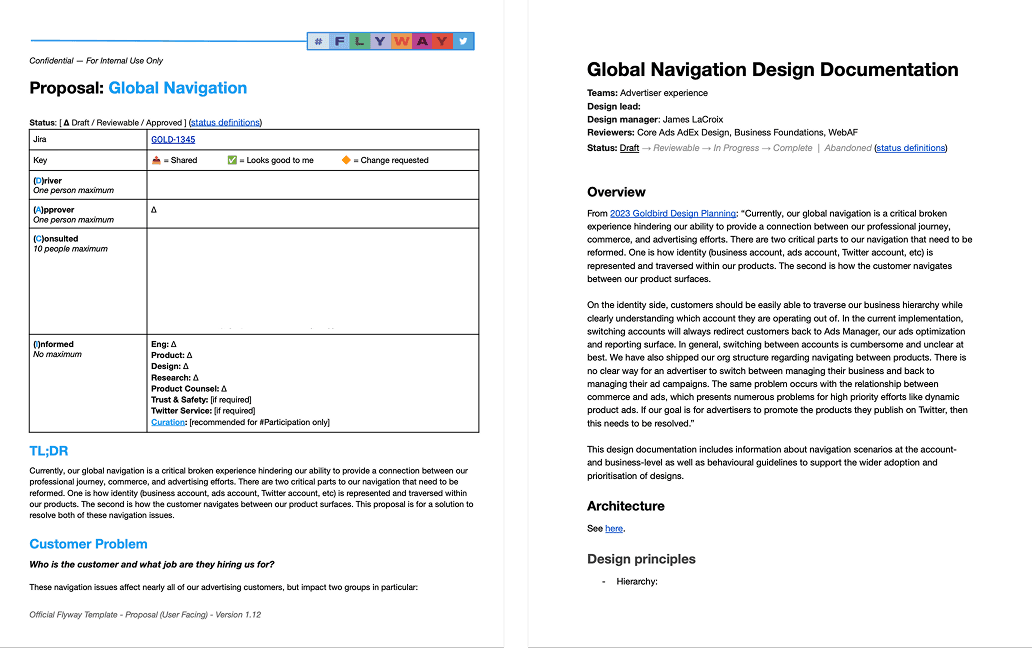
In 2022, I drafted the initial product proposal, framing the customer problems, documenting the evidence (competitive analysis, customer research, support data from the DPA buddy program), and articulating why this needed to be treated as a standalone initiative rather than something each product team addressed independently. The proposal connected the navigation issues directly to company objectives: improving workflows for Dynamic Product Ads, increasing adoption of Business Settings, reducing the reliance on temporary solutions and workarounds that individual teams were building on their own.
I partnered with two designers on the team to lead the design exploration and documentation. Together, we mapped every navigation scenario that could arise in the new model: switching between applications within the ads experience, moving from ads to Business Settings and back, transitioning from ads to Shopping Manager, switching between businesses, switching between ad accounts. Each scenario was prototyped to validate the interaction model.
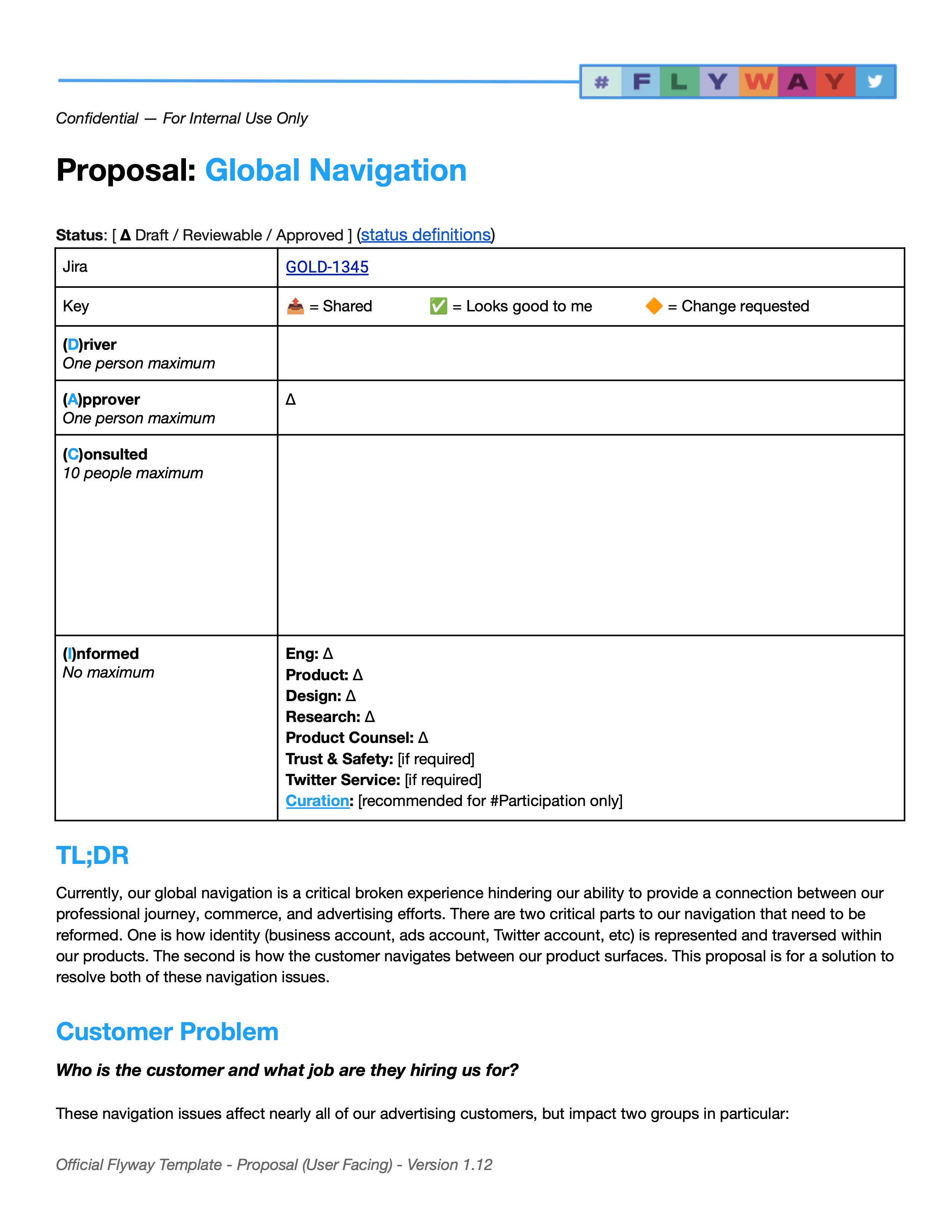
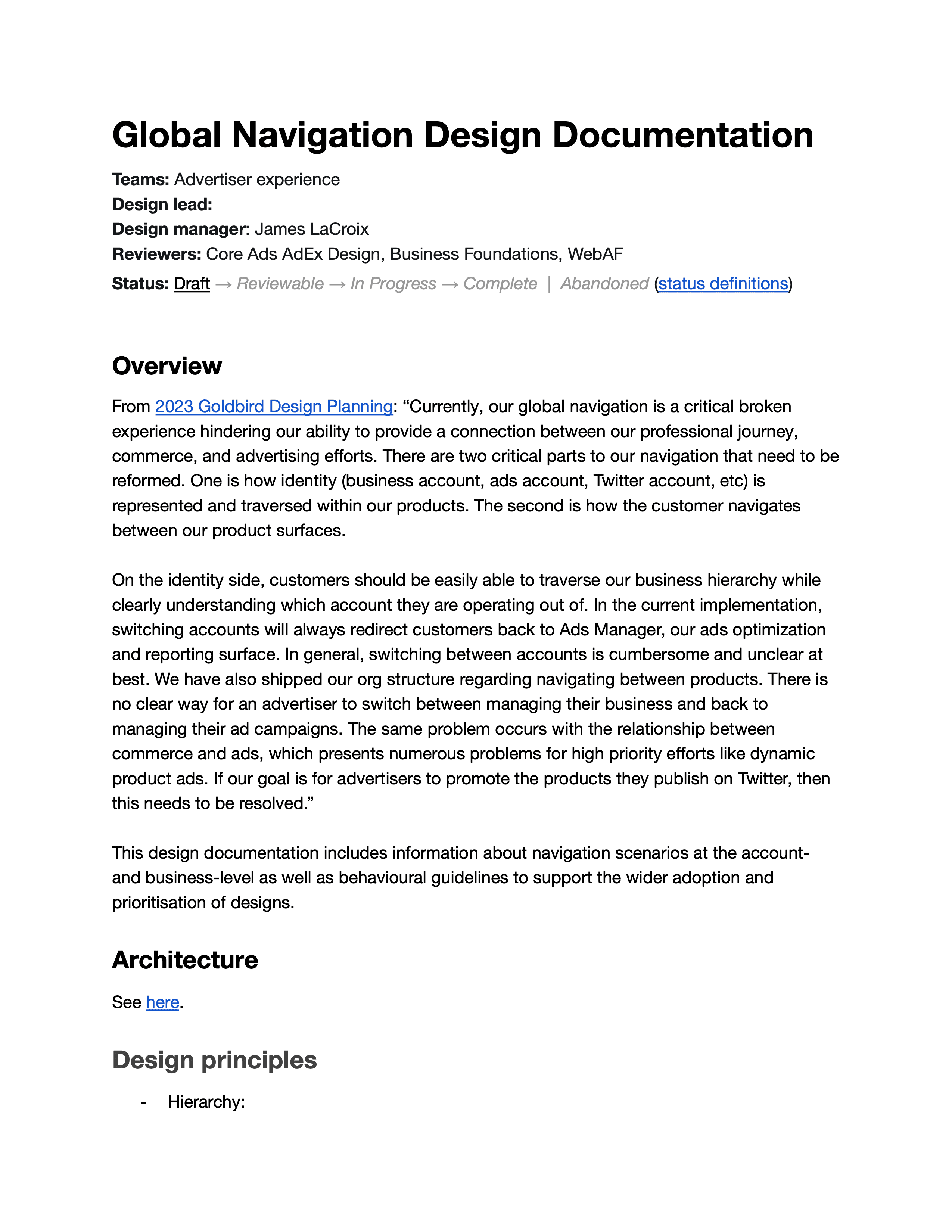
The Proposed Solution
The solution addressed both problems through a restructured global navigation. Rather than a single dramatic redesign, it was a set of principled changes that made the whole system coherent.
Identity moved into the global navigation. Account context (which business, which ad account) was made persistent and visible at the top level, with switching handled inline. When a user changed accounts, they stayed in the current product surface rather than being redirected to Ads Manager. This meant switching from Ad Account A to Ad Account B while working in the Audiences tool would reload the audiences for the new account, not dump you back to the Ads Manager dashboard.
The navigation hierarchy was flattened. Instead of organizing products by which internal team owned them, we organized them by how customers used them. Ads Manager, Shopping Manager, Business Settings, and related tools were all accessible from the same navigation level, eliminating the layers of indirection that had accumulated. Competitive analysis confirmed this approach aligned with how other advertising platforms (Meta Business Suite in particular) structured their multi-product navigation.
Redirect patterns were fixed. Every transition between product surfaces was documented with specific behavioral guidelines: what stays the same, what changes, and what state is preserved. This wasn't just about which links appeared where. It was about making the transitions feel predictable enough that customers could build muscle memory rather than re-learning the navigation every time they switched contexts.
The design solution went through multiple iterations, crits, and conversations with Engineering to understand implementation constraints. The documentation included not just the final interaction model but the underlying architecture, behavioral guidelines, and a complete inventory of affected surfaces and their owners.
Where It Landed
By late 2022, the effort had progressed from a design proposal to an active initiative with a Product driver working to get it prioritized for the 2023 roadmap. Engineering conversations had begun to scope the implementation. The design documentation was complete enough to serve as a specification for development.
Twitter's acquisition changed the trajectory of this work before it could ship. But the value of the effort extended beyond the specific navigation solution. The proposal and documentation became a model for how Design could identify systemic product problems, build the case for fixing them, and drive them toward prioritization without waiting for the roadmap to create an opening.
What It Reinforced
Some Problems Don't Fit on a Roadmap until Someone Makes Them Fit
Global navigation had been a known issue for years. It affected every professional product team. But because it crossed organizational boundaries and didn't belong to any single team, it kept not getting prioritized. The only way it moved forward was because Design treated it as a first-class initiative: writing the proposal, documenting the solution, and building alignment across the organization. Sometimes the most impactful work a design leader can do is the work that isn't on anyone's list yet.
Advocacy Is a Design Skill
I drafted the initial product proposal for this effort. Not the Product Manager. That wasn't because Product wasn't engaged. It was because no Product Manager owned the space that this problem lived in. If I had waited for someone else to frame the problem and propose it, I'd still be waiting. Design leaders who can articulate customer problems in the language of business objectives and frame solutions within engineering constraints create opportunities that wouldn't otherwise exist.
Navigation Is Never Just Navigation
The surface-level problem was that customers couldn't move between products easily. The actual problem was that Twitter's professional product ecosystem had outgrown its information architecture, and nobody had paused to reconcile the two. Solving it required understanding how identity, hierarchy, permissions, and product surfaces all interacted, which is why the Business Management work was a prerequisite. Good navigation is the visible expression of a system that makes sense underneath. If the system doesn't make sense, no amount of UI polish will fix what customers experience.